
If you want your website to rank higher on Google and give a great reading experience to users, you must understand header tags and content formatting. Whether you are learning through a digital marketing course, searching for digital marketing classes near me, upgrading skills through an On page SEO training program, learning professionally from the Best SEO training institute, or training at an SEO training institute near me, mastering header tags and formatting is one of the most powerful SEO skills.
⭐ What Are Header Tags?
Header tags are headings used in your content to create structure.
They look like this:
- H1
- H2
- H3
- H4
They help Google understand your page and help users read easily.
Header tags are not just for SEO. They organize your story and guide your reader.
Why Header Tags Are Important?
Proper header tags:
- Improve readability
- Help Google understand content
- Create a logical flow
- Increase user engagement
- Improve SEO ranking
Even experts at the Best SEO training institute emphasize that you cannot ignore header structure if you want long-term SEO results.
Perfect Header Tag Structure
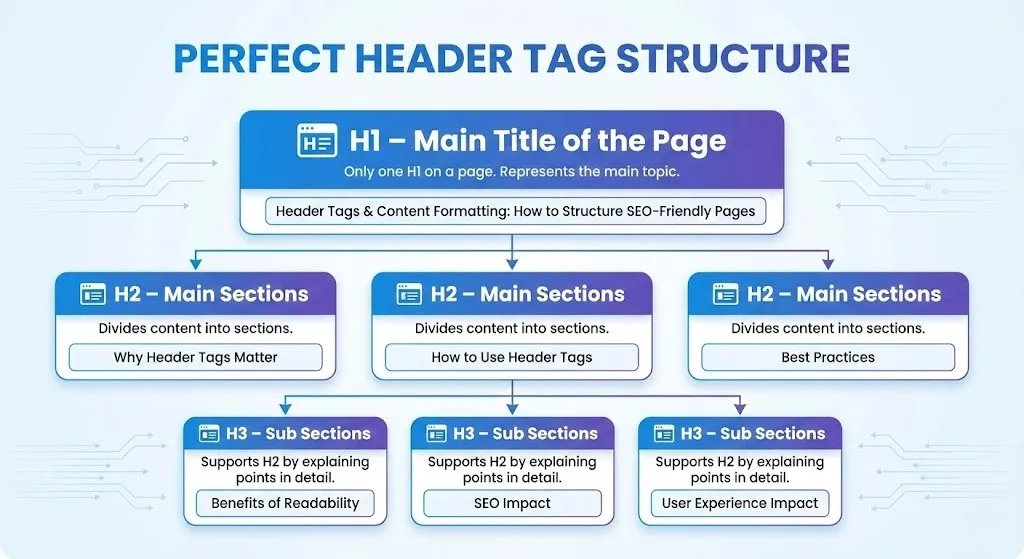
🏷️ H1 – Main Title of the Page
There should be only one H1 on a page.
It represents the main topic.
Example:
Header Tags & Content Formatting: How to Structure SEO-Friendly Pages
🏷️ H2 – Main Sections
H2 headings divide your content into sections.
Examples:
- Why Header Tags Matter
- How to Use Header Tags
- Best Practices
🏷️ H3 – Sub Sections
H3 supports H2 by explaining points in detail.
Example:
- Benefits of Readability
- SEO Impact
- User Experience Impact
STRUCTURE TIP
Always follow:
- 1 H1
- Multiple H2
- Relevant H3 under H2
This is taught in every good On page SEO training program.
💡 Real Life Example 1
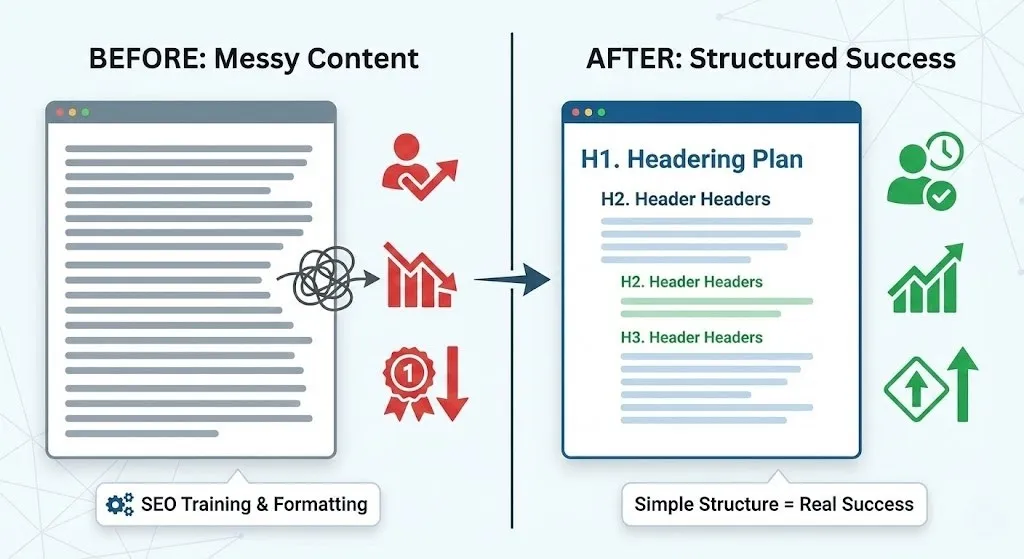
A blogging website wrote long articles without headings.
Everything looked like one big paragraph.
Results?
- People couldn’t read
- Bounce rate increased
- Rankings dropped
After joining an SEO training institute near me, they learned proper content formatting and header structure.
They rewrote blogs using H1, H2, and H3.
What happened?
- Users stayed longer
- Pages ranked better
- Traffic increased
Simple structure created real success.
🧠 Content Formatting – Make Content Easy & Beautiful
Formatting makes your content readable and attractive.
Good formatting includes:
- Short paragraphs
- Bullet points
- Proper spacing
- Highlighted key points
- Clean layout
This is something every digital marketing course teaches because design + readability = better user experience.
📊 Table: Headers vs Formatting Impact
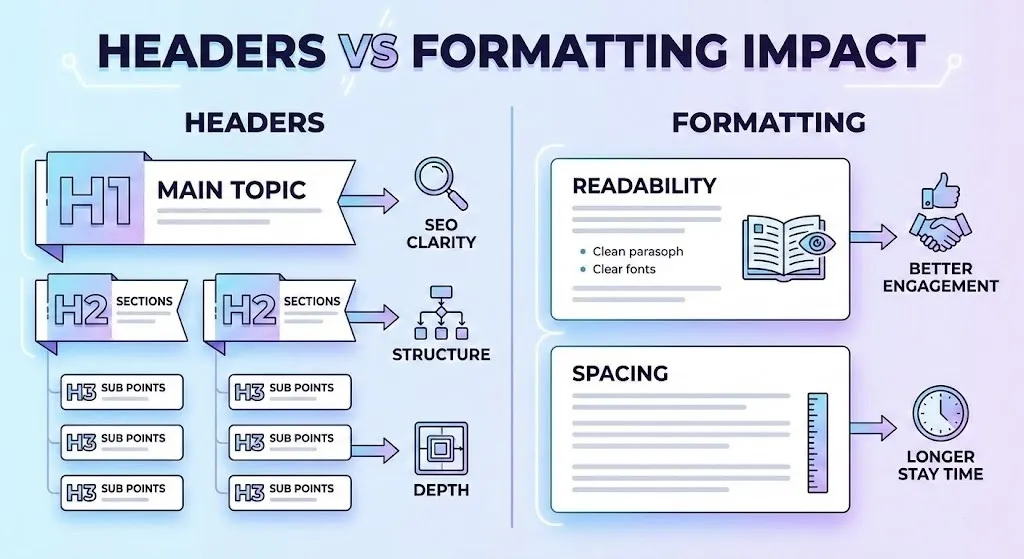
| Element | Purpose | Benefit |
| H1 | Main topic | SEO clarity |
| H2 | Sections | Structure |
| H3 | Sub points | Depth |
| Formatting | Readability | Better engagement |
| Spacing | Comfort | Longer stay time |
📝 Readability Matters More Than You Think
Google does not just read your content.
It tracks how users behave.
If users:
- Stay longer
- Scroll more
- Read easily
Google considers your page valuable.
READABILITY
To improve readability:
- Use simple English
- Avoid tough words
- Short sentences
- Use real examples
This is heavily taught in digital marketing classes near me because user experience is the future of SEO.
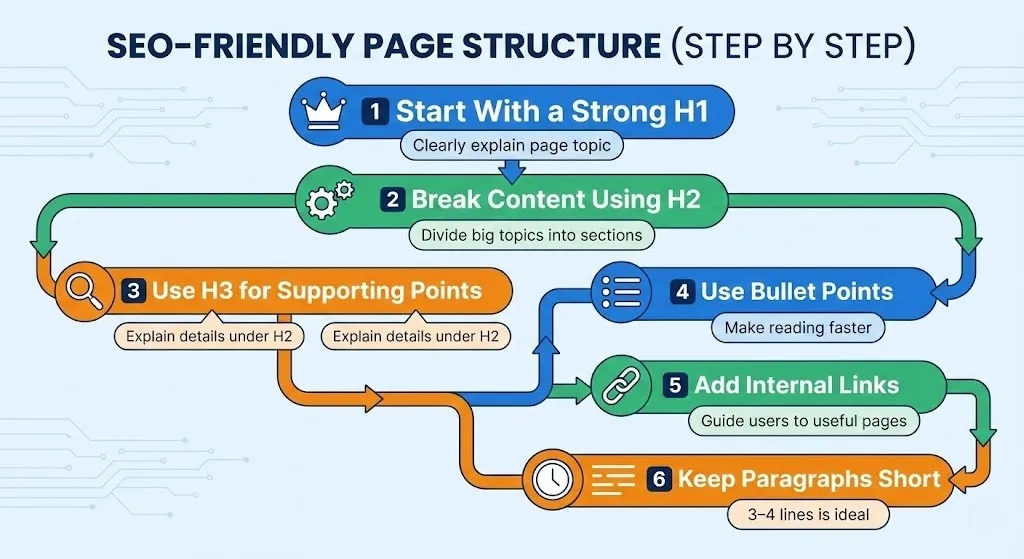
How to Structure SEO-Friendly Pages (Step by Step)
1️⃣ Start With a Strong H1
Your H1 must clearly explain what the page is about.
2️⃣ Break Content Using H2
Divide big topics into sections.
3️⃣ Use H3 for Supporting Points
Explain details under H2 using H3.
4️⃣ Use Bullet Points
They make reading faster.
5️⃣ Add Internal Links
Guide users to more useful pages.
6️⃣ Keep Paragraphs Short
3–4 lines per paragraph is ideal.
💡 Real Life Example 2
A training institute website had high-quality information but:
- No headings
- Long text blocks
- No formatting
Even though the content was great, no one liked reading it.
After they structured content properly (learned through the Best SEO training institute):
- Reading time increased
- Students spent more time on site
- SEO ranking improved
Structure builds trust.
Important Formatting Elements
| Formatting Element | Impact |
| Bold Text | Highlights key ideas |
| Bullet Points | Easy scanning |
| Short Paragraphs | Better reading |
| Spacing | Clean look |
| Boxes & Tables | Professional feel |
💬 Real Life Example 3
A student started a blog but didn’t structure it properly.
His content was good, but no one engaged.
After joining an On page SEO training program, he learned:
- How to use headings
- How to format content
- How to make it user-friendly
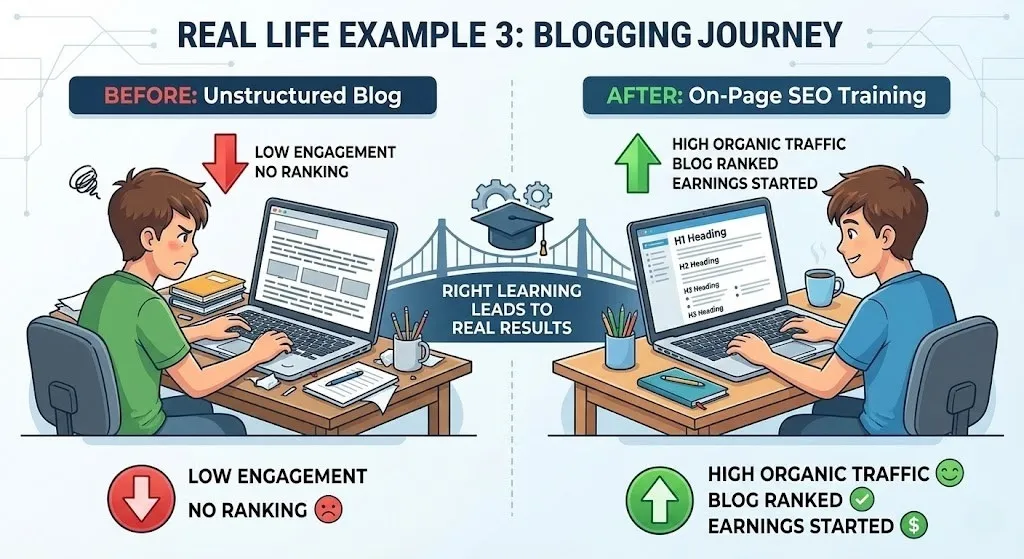
Result?
- His blog finally ranked
- Organic traffic increased
- He started earning
Right learning leads to real results.
❌ Common Mistakes to Avoid
- Using too many H1
- No headings
- Long paragraphs
- No formatting
- Writing only for Google, not users
Good SEO = Balance of humans + search engine.
🧾 Best Practice Checklist
Use this checklist every time:
✔ One H1 only
✔ Proper H2 and H3
✔ Short paragraphs
✔ Bullet points
✔ Proper spacing
✔ Easy language
✔ Logical flow
Follow this and your content will always perform better.
🎯 Final Thoughts
Header tags and content formatting play a major role in making your page SEO-friendly and user-friendly.
Whether you learn from a digital marketing course, attend digital marketing classes near me, enhance skills through an On page SEO training program, study at the Best SEO training institute, or train at an SEO training institute near me, mastering structure and formatting will always give powerful results.
If your page is well-structured, readable, user-focused, and clear, Google will rank it and users will love it.
Disclaimer: The images and videos used in this blog are for educational and illustrative purposes only. Some visuals may be generated using AI tools, while others are sourced from publicly available platforms. We do not claim ownership of any third-party images or videos. All rights and credits belong to their respective owners.

