

If you want your website to rank better, load faster, and perform smoothly, Image SEO optimization is extremely important. Whether you are learning through an SEO optimization course, training at an SEO training institute, gaining skills through a Professional SEO course, improving knowledge with a Website SEO training course, or learning practically at an SEO optimization institute, mastering image optimization is a key part of strong On-Page SEO.
⭐ What is Image SEO Optimization?
Image SEO means optimizing images so that:
➡️Google understands them
➡️Your website loads faster
➡️Users get a better experience
➡️Your pages rank higher
“Images don’t just decorate your website.
They communicate, support content, and improve SEO if optimized correctly.”
Why Image SEO Matters?
Optimized images help in:
- Better page speed
- Better rankings
- Better user experience
- Better engagement
Even experts in an SEO training institute say that many websites lose ranking only because of heavy or unoptimized images.
Core Parts of Image SEO Optimization
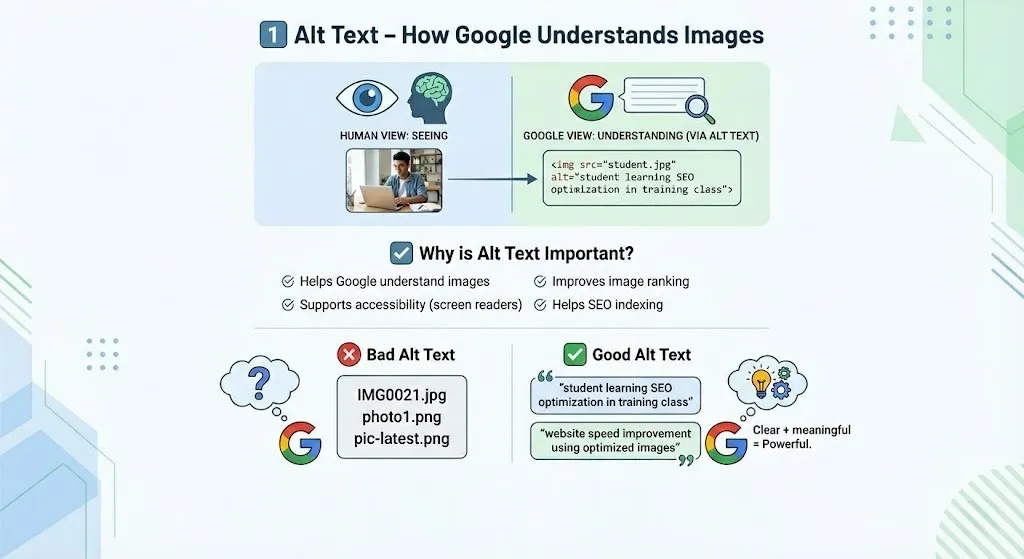
1️⃣ Alt Text – How Google Understands Images
Google cannot “see” images like humans do.
It understands images through text — especially Alt Text.
Alt text describes what the image is about.
✔ Why is Alt Text Important?
- Helps Google understand images
- Improves image ranking
- Supports accessibility (screen readers)
- Helps SEO indexing
This is taught deeply in every Professional SEO course because alt text directly supports search engines in understanding visuals.
❌ Bad Alt Text
IMG0021.jpg
photo1.png
pic-latest.png
✅ Good Alt Text
“student learning SEO optimization in training class”
“website speed improvement using optimized images”
Clear + meaningful = Powerful.
ALT TEXT TIP
Write alt text like you are explaining the image to a blind person.
Simple, clear, meaningful.
2️⃣ Image Compression – Make Website Faster
Large image size = Slow website
Slow website = Low ranking
Google loves fast websites.
✔ Why Compression is Important?
- Reduces page loading time
- Improves Core Web Vitals
- Enhances user experience
This importance is always highlighted in an SEO optimization course because performance directly impacts ranking.
🔧 Best Image Formats
| Format | Best Use |
| JPG | Normal photos |
| PNG | Graphics & logos |
| WEBP | Best for SEO (fast + quality) |
⚙️ Tools for Image Compression
➡️TinyPNG
➡️ShortPixel
➡️Imagify
➡️Photoshop Export
Fast website = Happy user + Happy Google.

3️⃣ Web Performance & Core Web Vitals
Images are one of the biggest reasons websites slow down.
Optimized images directly support Core Web Vitals like:
- LCP (Largest Contentful Paint)
- CLS (Cumulative Layout Shift)
- INP (Interaction to Next Paint)
Every Website SEO training course focuses on Core Web Vitals because Google highly values user experience.
PERFORMANCE
To improve image performance:
- Use right format
- Use proper size
- Compress images
- Use CDN if possible
Small improvements create big results.
💡 Real Life Example 1
A business website had beautiful, high-quality pictures.
But there was a problem.
The website took 8 seconds to load.
Result?
- Visitors left
- Bounce rate increased
- Rankings dropped
After guidance from an SEO optimization institute,
they compressed images, added alt text, and improved structure.
What happened?
- Load time reduced to 2.5 seconds
- Traffic improved
- Rankings increased
Optimized images = Better SEO performance.

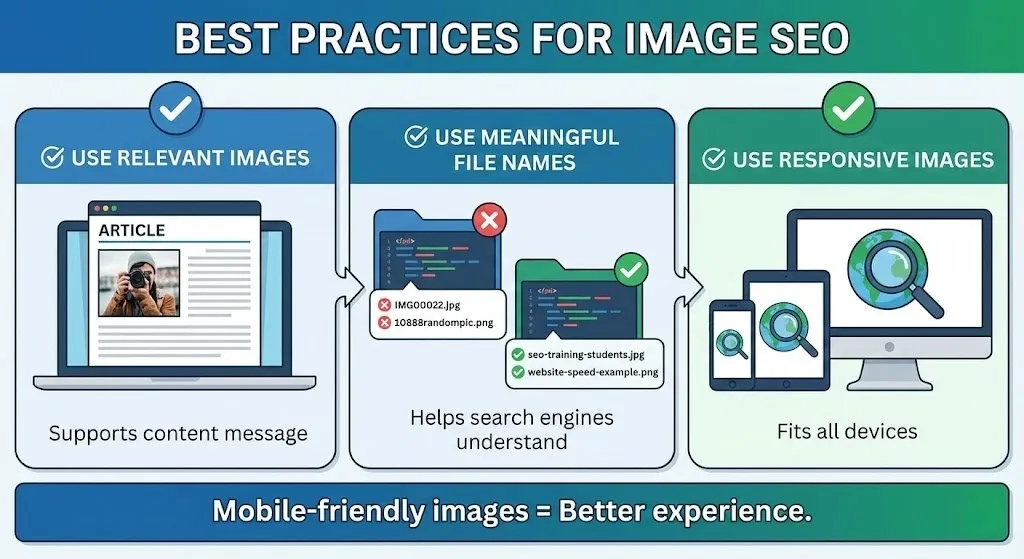
Best Practices for Image SEO
✔ Use Relevant Images Only
Don’t add images just to decorate.
Images must support your content message.
✔ Use Meaningful File Names
Before uploading, rename your files properly.
❌ IMG00022.jpg
❌ 10888randompic.png
✅ seo-training-students-learning.jpg
✅ website-speed-optimization-example.png
This is always emphasized in a Professional SEO course because file names help search engines understand relevance.
✔ Use Responsive Images
Your images should fit:
- Mobile
- Tablet
- Desktop
Mobile-friendly images = Better experience.
💡 Real Life Example 2
A blogger wrote amazing content but never ranked well.
The reason?
- Heavy images
- No alt text
- Wrong formats
After getting guidance from an SEO training institute,
they optimized images properly.
Soon:
- Traffic increased
- Rankings improved
- Users loved the experience
Good visuals + good optimization = Strong results
📊 Image SEO Summary Table
| Element | Purpose | Benefit |
| Alt Text | Image identification | Better ranking |
| Compression | Reduce size | Faster website |
| File Names | Understanding | SEO clarity |
| Correct Format | Quality + Speed | Better experience |
| Web Performance | Stability | Higher ranking |

💬 Real Life Example 3
A company invested heavily in web design but ignored image SEO.
Their website was slow and unstable.
Later, after learning from a Website SEO training course, they:
- Compressed images
- Added descriptive alt text
- Used WebP format
Result?
Website became faster, stable, and started ranking much better.
Sometimes small technical improvements change everything.
❌ Common Image SEO Mistakes
Avoid these mistakes:
- Uploading huge images
- No alt text
- Wrong file formats
- Overusing graphics
- Ignoring mobile optimization
Smart SEO = Smart optimization.
🧾 Image SEO Checklist
Use this checklist every time:
✔ Add alt text
✔ Rename files properly
✔ Maintain quality
✔ Compress images
✔ Use correct format
✔ Support user experience
Follow this and your image SEO will always stay strong.
🎯 Final Thoughts
Image SEO is not just about improving visuals.
It is about improving website speed, user experience, and Google ranking.
Whether you learn through an SEO optimization course, study at an SEO training institute, build expertise through a Professional SEO course, practice in a Website SEO training course, or gain skills at an SEO optimization institute, mastering image SEO will always give powerful results.
If your images are optimized, meaningful, fast-loading, and user-friendly —
your website will always perform better in SEO.
Disclaimer: The images and videos used in this blog are for educational and illustrative purposes only. Some visuals may be generated using AI tools, while others are sourced from publicly available platforms. We do not claim ownership of any third-party images or videos. All rights and credits belong to their respective owners.

