
1. Understand Custom Audience Concept
Custom Audience Definition
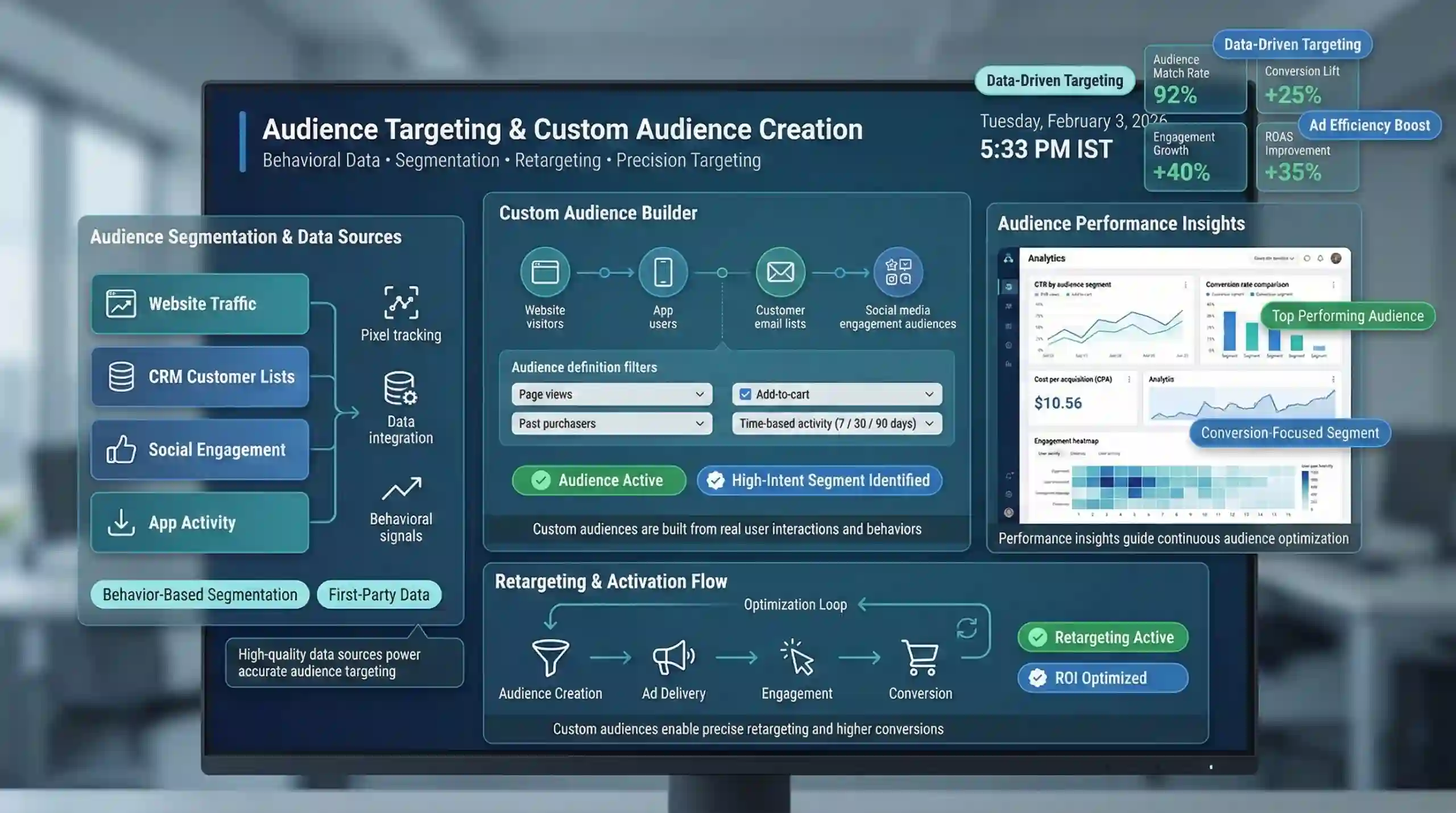
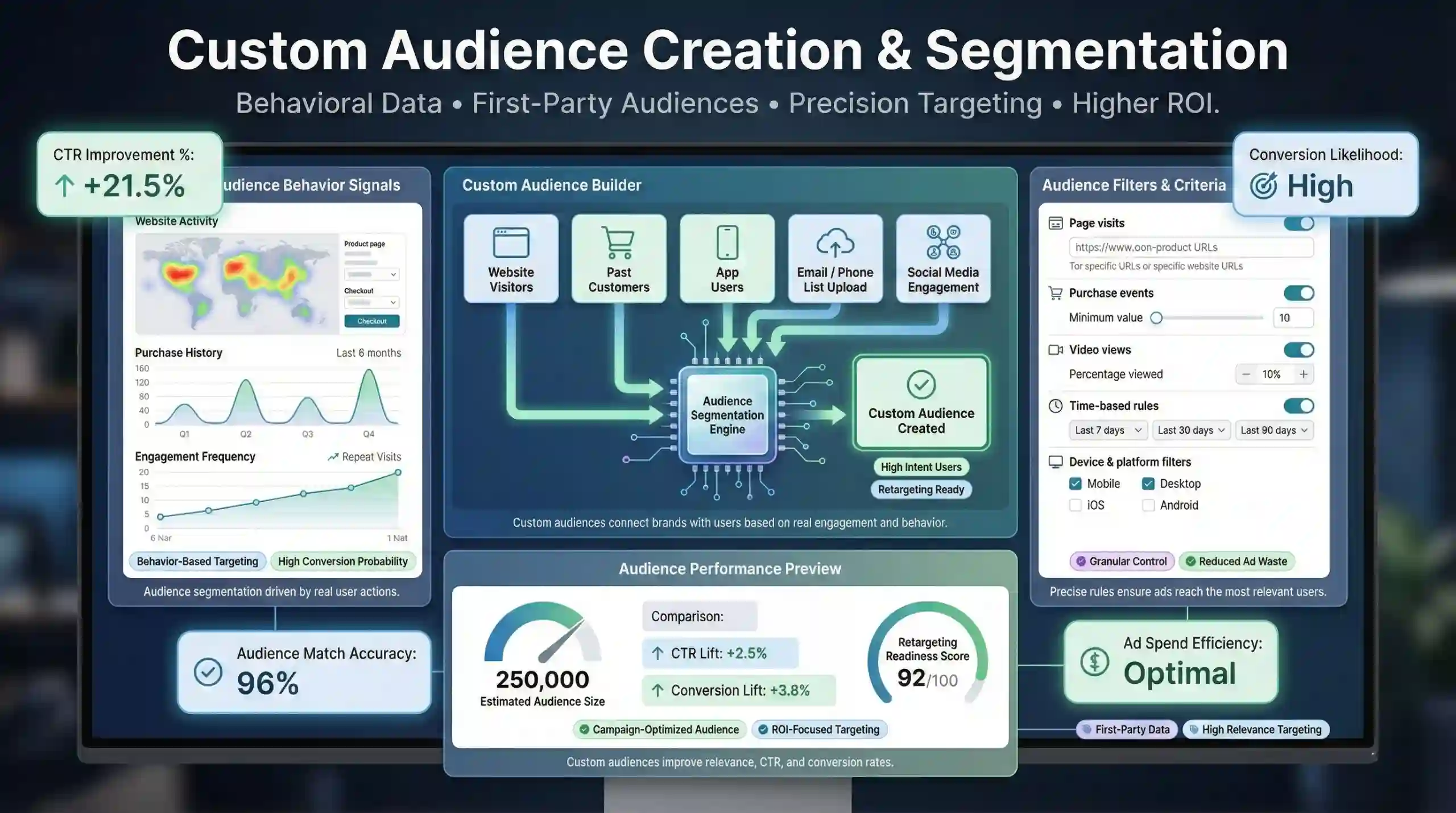
In digital marketing, a Custom Audience refers to a specific group of users that a marketer has identified based on predefined data attributes. These audiences are tailored to connect with individuals who have shown particular behaviors, interests, or engagement patterns relevant to the advertiser’s goals. Custom Audiences enable precise user targeting by segmenting users based on behavioral data, online interactions, or existing customer information.
For example, a retailer can create a Custom Audience of users who previously purchased a product from their website. This enables targeted marketing efforts aimed directly at potential repeat buyers, increasing the likelihood of conversion.
Importance of Custom Audiences
Implementing advanced audience segmentation significantly enhances ad relevance, which leads to higher click-through rates (CTR) and improved conversion rates. Custom audiences facilitate programmatic advertising efficiency, reducing ad wastage by focusing on high-potential users. They allow marketers to craft personalized messaging and retarget users more effectively, thereby optimizing return on investment (ROI).
2. Set Clear Campaign Objectives
Define Advertising Goals
Establishing well-defined marketing objectives is foundational. Whether the goal is brand awareness, lead generation, or conversion optimization, each goal requires a tailored audience strategy. For instance, brand awareness campaigns might target broader interest-based audiences, whereas conversion-focused campaigns would prioritize remarketing to warm audiences.
Align Audience Strategy with Goals
Understanding how to align the types of custom audiences with marketing objectives is crucial. For example:
- For engagement-driven campaigns, use Engagement Audiences based on social media interactions.
- For website conversions, create audiences from website visitors or cart abandoners.
- To expand reach, leverage Customer Lists (like email data) to create lookalike audiences.
This alignment ensures that marketing efforts are targeted efficiently, maximizing campaign effectiveness.
3. Gather Audience Data Sources
Website Visitor Data
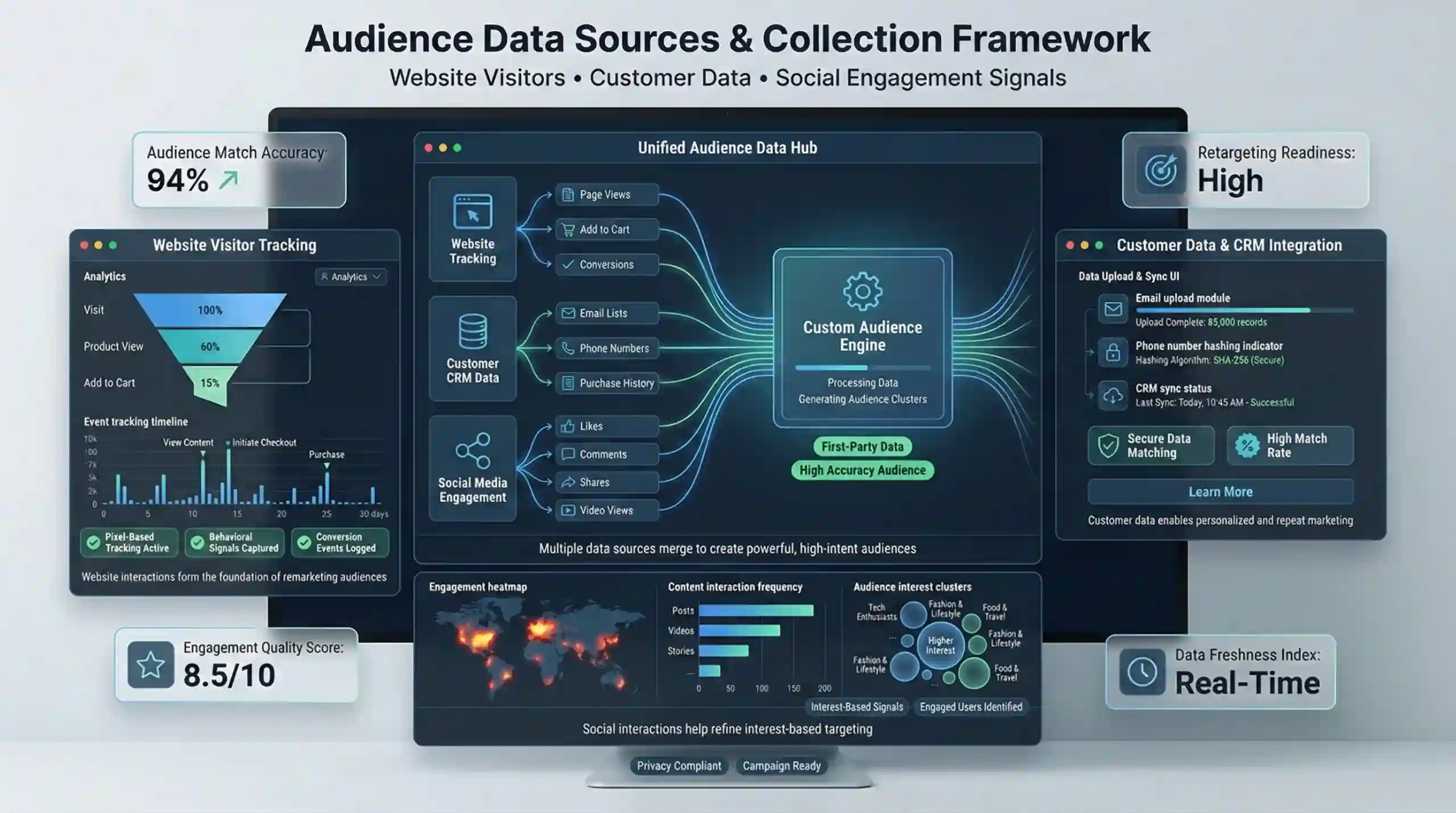
Collect behavioral data from website visitors using tracking tools such as Facebook Pixel or Google Tag Manager. These tools identify specific user actions, like page views or add to cart, providing the data necessary to create highly targeted remarketing audiences.
Customer Data Collection
Compile customer data including email addresses, phone numbers, and other CRM (Customer Relationship Management) data. This data allows for customer list audience creation, enabling straightforward personalized advertising.
Social Engagement Metrics
Leverage metrics such as likes, comments, shares, and content interactions on social platforms. These parameters serve as data sources for interest-based targeting and optimizing social media advertising campaigns.
4. Implement Pixels & Tag Managers
Facebook Pixel Setup
Installing the Facebook Pixel is essential for real-time tracking of user actions on a website. Proper setup involves placing the pixel code in website pages to monitor events such as Page Views, Add to Cart, or Purchases. Data collected informs the creation of website custom audiences and conversion tracking.
Google Tag Manager Integration
Google Tag Manager (GTM) simplifies managing multiple tags and pixels. By implementing tags through GTM, marketers can track specific user interactions and trigger audience segments dynamically. For example, tags can fire when users visit specific product pages, enabling precise audience targeting.
5. Create Specific Audience Segments
Audience Segmentation Strategies
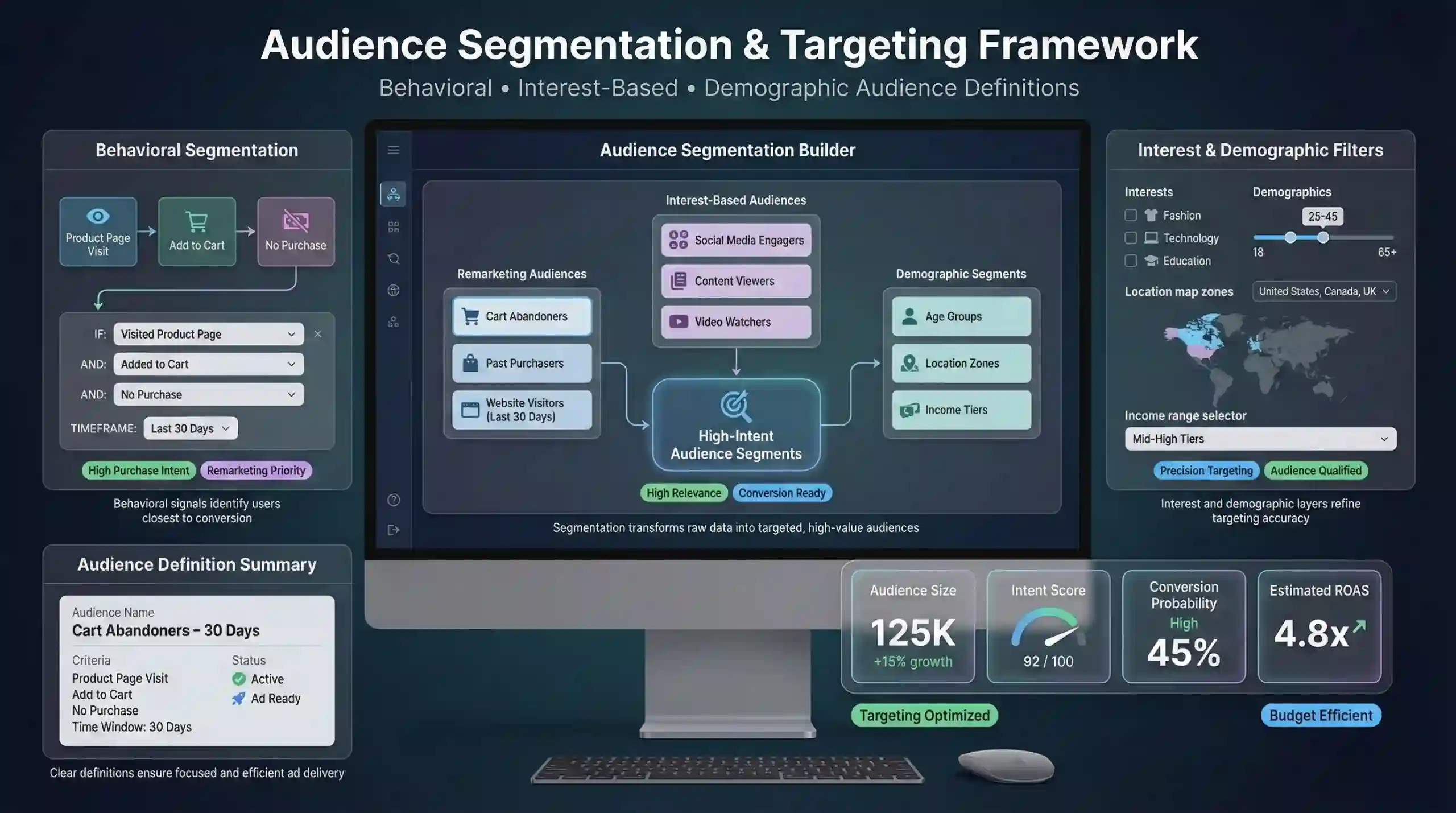
Segmentation involves dividing your audience based on specific behavioral signals, interest categories, or demographic factors. Common strategies include:
- Remarketing audiences such as cart abandoners, past purchasers, website visitors within certain time frames.
- Interest-based audiences derived from social media engagement.
- Demographic segments like age, location, or income level.
Audience Definitions
Clear audience criteria enhance targeting precision. For example, defining a segment as “Users who visited the product page in the last 30 days and added a product to the cart but did not purchase” ensures advertising efforts are concentrated on highly qualified prospects.
6. Utilize Lookalike & Similar Audiences
Create Lookalike Audiences
Lookalike audiences are generated by modeling the characteristics of your best customers or high-value segments. These audiences allow you to target new users who resemble your existing customers, significantly expanding reach while maintaining relevance.
Similarity Matching
Using machine learning algorithms, digital advertising platforms identify users with similar demographics, interests, and behaviors, enabling efficient audience expansion. For example, creating a lookalike audience based on current buyers can uncover potential new customers.
7. Refine & Exclude Audiences
Audience Optimization
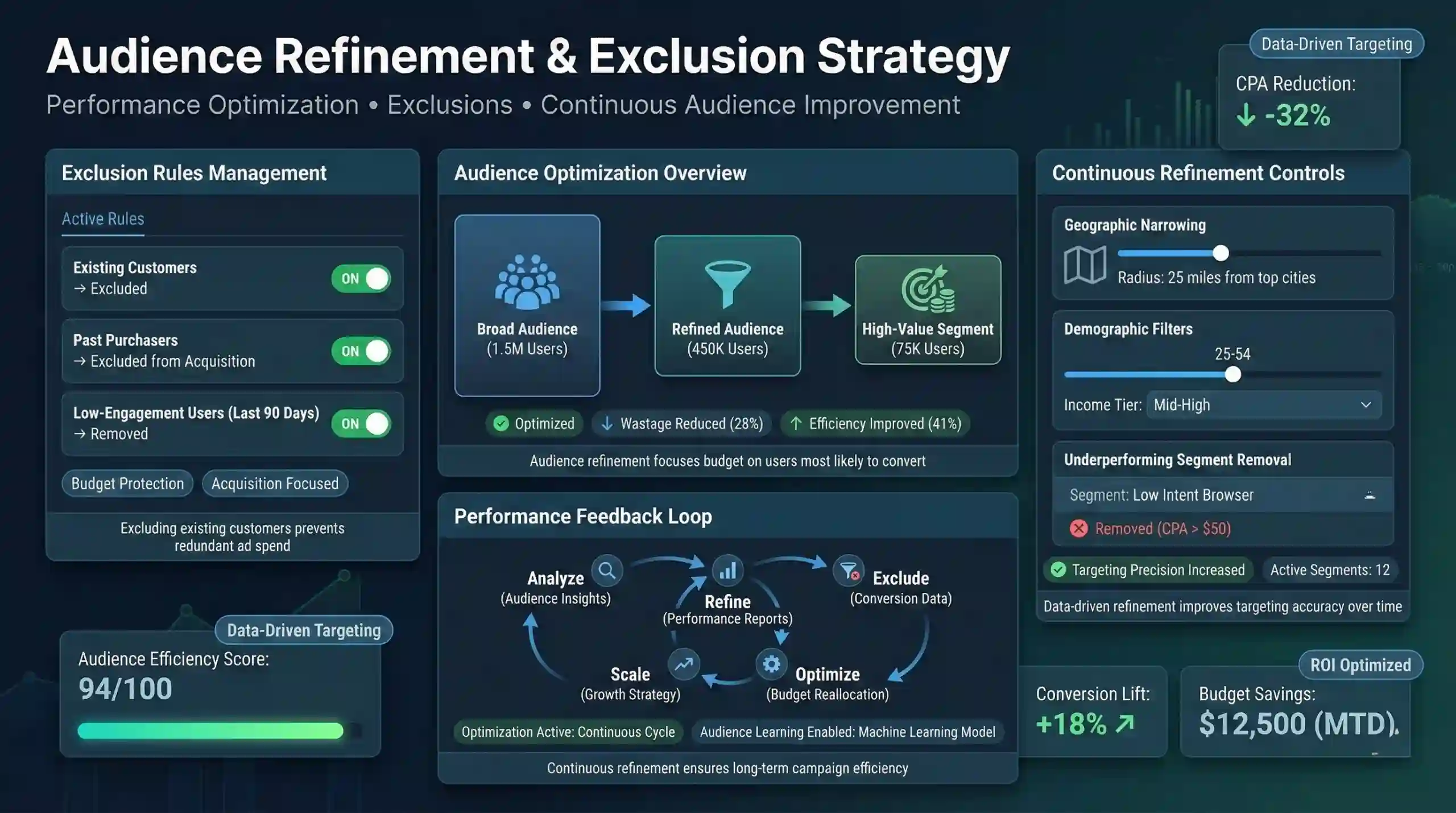
Avoid targeting existing customers in acquisition campaigns by excluding them from new ad sets. This prevents ad wastage and ensures resources focus on potential new customers.
Continuous Refinement
Ongoing analysis of campaign performance data and insights from audience behavior inform regular updates to audience criteria. Refinements may include narrowing geographic targets, adjusting demographic filters, or removing underperforming segments.
8. Monitor & Optimize Audience Performance
Audience Insights Analysis
Regularly reviewing ad engagement, conversion metrics, and audience performance reports helps identify what segments are most responsive. Data-driven insights facilitate targeted adjustments to improve campaign outcomes.
Performance-Based Adjustments
Adjust targeting parameters, budget allocations, and bidding strategies based on real-time feedback. For example, increasing bids for high-performing segments or excluding low-engagement users optimize overall ROI.
9. Leverage Advanced Strategies
Dynamic Creative Optimization
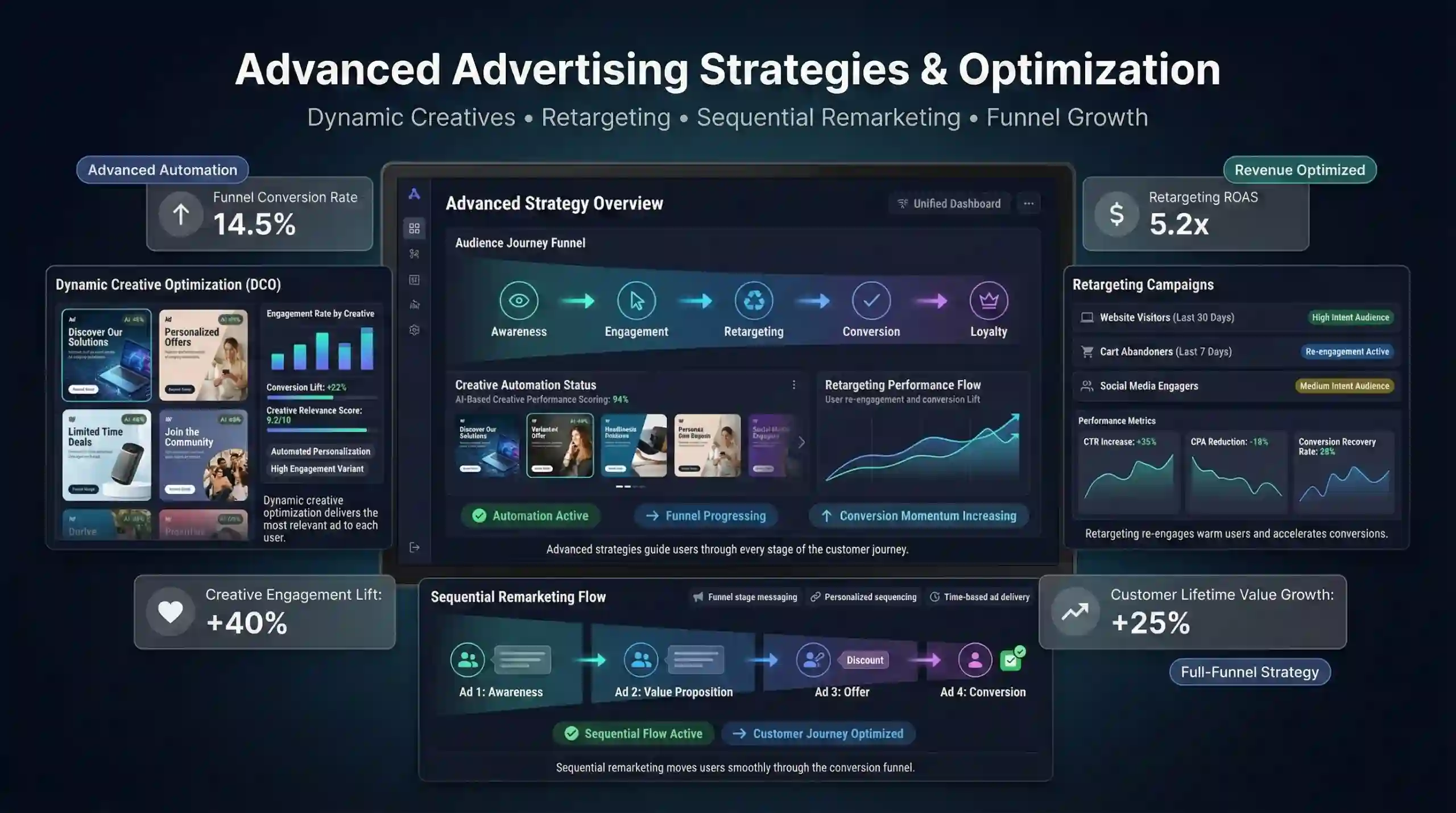
Utilize automated creative tools that tailor ad content dynamically depending on user behavior or audience segment. This relevance automation improves engagement and conversion rates.
Retargeting Campaigns
Re-engage users who previously interacted with your website or social media content by delivering personalized ads, increasing the likelihood of conversion.
Sequential Remarketing
Guide prospects through the customer journey with a series of ads designed for specific funnel stages, thereby increasing conversion rates and customer lifetime value.
10. Stay Updated with Platform Changes
Platform Updates & Privacy Laws
Digital advertising platforms continuously evolve. Staying informed about platform policy updates (e.g., Facebook Ads, Google Ads), and data privacy regulations such as GDPR or CCPA, is essential to ensure compliant and effective audience targeting.
Best Practices & Industry Trends
Regularly review industry resources, blogs, and training materials to keep current with emerging audience building strategies, new targeting functionalities, and advertising innovations.
Practice Questions
- Define a Custom Audience and explain its significance in digital advertising.
- How do tracking pixels like Facebook Pixel and Google Tag Manager facilitate audience creation? Provide an example.
- Describe the process of creating a Remarketing Audience targeting cart abandoners.
- What is the purpose of creating Lookalike Audiences, and how does machine learning support this process?
- How can continuous refinement of audiences improve campaign ROI?
- Write a sample code snippet to implement Facebook Pixel for tracking page views.
- Explain the difference between a Customer List audience and an Engagement audience.
- How do privacy laws impact audience targeting in digital advertising?
- What metrics should be analyzed to evaluate audience performance?
- Design a sequence of three ads for sequential remarketing aimed at users who visited a product page but did not purchase.
Practice Question Codes and Outputs
Facebook Pixel Implementation
<!-- Facebook Pixel Code -->
<script>
  !function(f,b,e,v,n,t,s)
  {if(f.fbq)return;n=f.fbq=function(){n.callMethod?
  n.callMethod.apply(n,arguments):n.queue.push(arguments)};
  if(!f._fbq)f._fbq=n;
  n.push=n;n.loaded=!0;n.version='2.0';
  n.queue=[];t=b.createElement(e);t.async=!0;
  t.src=v;s=b.getElementsByTagName(e)[0];
  s.parentNode.insertBefore(t,s)}(window, document,'script',
  'https://connect.facebook.net/en_US/fbevents.js');

  fbq('init', 'YOUR_PIXEL_ID');
  fbq('track', 'PageView');
</script>
Creating a Lookalike Audience (Conceptual)
# Pseudocode for creating a lookalike audience in Facebook Ads Manager
# (Actual execution is performed via Facebook Business Manager interface)

Input: Seed Audience (e.g., top 100 purchasers)
Output: Lookalike Audience (e.g., 1% similarity in target country)

Procedure:
1. Select Seed Audience in Facebook Ads Manager.
2. Click on "Create Audience" > "Lookalike Audience".
3. Choose the source audience (seed).
4. Select target location.
5. Set similarity percentage (1% for most similar).
6. Create the audience.

Outcome: Ads are now targeted to users similar to your best customers.
Study Resources & Beginner-Friendly Websites
This audience targeting roadmap provides a comprehensive, theoretical foundation for creating high-performing custom audiences in digital advertising. Mastery of these concepts enhances ad relevance, optimizes marketing ROI, and fosters sustainable business growth.
More Courses
- Social Media Marketing course with Gen AI
- Advance Digital Marketing & SEO course with Gen AI
- Advanced Certificate in Digital Design & Marketing course with Gen AI
- Meta & Google Ads course with Gen AI

