
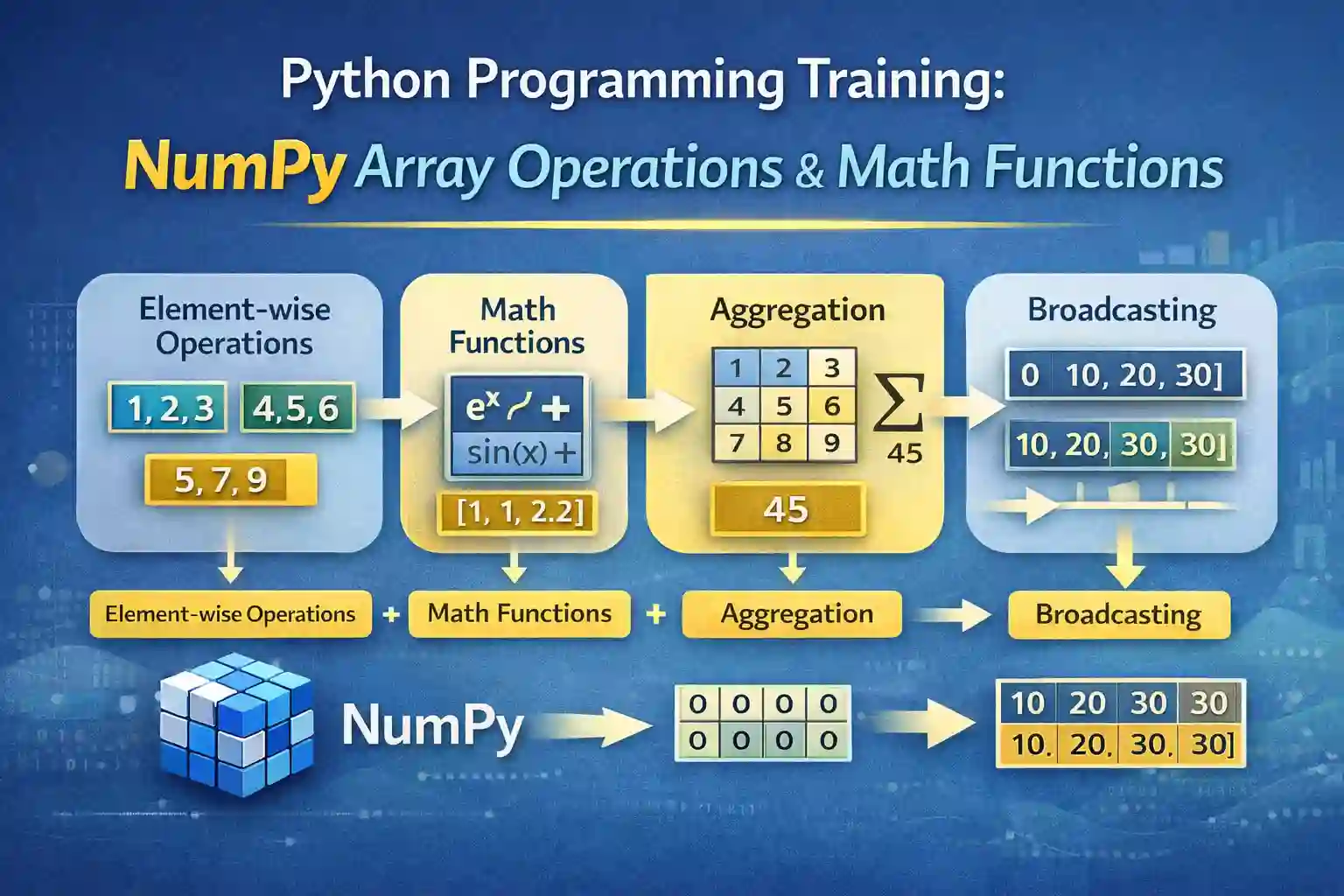
This educational material provides a comprehensive understanding of array operations and mathematical functions in NumPy, a fundamental library for numerical computing in Python. It covers element-wise array operations, universal functions (ufuncs), array aggregation, and broadcasting rules, essential for efficient scientific and data analysis tasks.
1. Element-wise Array Operations
Element-wise array operations are fundamental in NumPy, enabling efficient vectorized computations on arrays without explicit loops. They are analogous to element-by-element calculations, significantly enhancing performance in numerical tasks.
Addition of Arrays
Addition combines corresponding elements from two arrays of compatible shapes.
- Using
+operator - Using
np.add()
Example:
import numpy as np
a = np.array([1, 2, 3])
b = np.array([4, 5, 6])
result = a + b  # or np.add(a, b)
# Output: array([5, 7, 9])
Subtraction of Arrays
Performs element-wise subtraction between two arrays.
- Using
-operator - Using
np.subtract()
Example:
result = b - a
# Output: array([3, 3, 3])
Multiplication of Arrays
Calculates the product of each pair of elements across arrays.
- Using
*operator - Using
np.multiply()
Example:
result = a * b
# Output: array([4, 10, 18])
Division of Arrays
Performs element-wise division.
- Using
/operator - Using
np.divide()
Example:
result = b / a
# Output: array([4.0, 2.5, 2.0])
Real-world application: Calculating pixel-wise differences in images, normalizing datasets, or element-wise signal processing.
2. Universal Functions (ufuncs) for Mathematical Operations
NumPy’s universal functions are optimized, vectorized functions that perform element-wise operations efficiently. They are essential for mathematical computations, physics simulations, and statistical analysis.
NumPy’s np.add
A high-performance vectorized addition function ideal for large datasets, often replacing loop-based addition.
np.add(a, b)
# Output: array([5, 7, 9])
NumPy’s np.sin
Calculates the sine of each element, essential in trigonometry computations, physics, and signal processing.
Example:
angles = np.array([0, np.pi/2, np.pi])
sine_values = np.sin(angles)
# Output: array([ 0.,  1.,  0.])
NumPy’s np.exp
Computes the exponential (e^x) for each element. Widely used in probability, statistics, and exponential growth models.
Example:
values = np.array([0, 1, 2])
exp_values = np.exp(values)
# Output: array([1., 2.71828183, 7.3890561 ])
Note: These vectorized mathematical functions facilitate fast vectorized mathematical functions for high-performance computations in scientific applications.
3. Aggregation Functions for Summarizing Array Data
Aggregation functions summarize data within arrays, providing meaningful statistical insights crucial for data analysis, machine learning, and research.
np.sum
Calculates the total sum of all array elements or along a specified axis.
Example:
arr = np.array([[1, 2], [3, 4]])
np.sum(arr)
# Output: 10
np.mean
Computes the average of array elements, a fundamental statistical measure.
Example:
np.mean(arr)
# Output: 2.5
np.std (Standard Deviation)
Measures the spread or variability of data points around the mean.
Example:
np.std(arr)
# Output: 1.1180339887
np.var (Variance)
Quantifies the dispersion of data points, useful in statistical modeling.
Example:
np.var(arr)
# Output: 1.25
Application: Aggregation functions are vital in array aggregation in NumPy, facilitating data summarization and statistical analysis.
4. Broadcasting Rules for Array Arithmetic Optimization
Broadcasting is a powerful mechanism that allows NumPy to perform arithmetic operations on arrays of different shapes efficiently without copying data explicitly.
Understanding NumPy Broadcasting
Broadcasting enables operations between arrays of different dimensions by automatically expanding their shapes in a compatible manner.
Compatibility Conditions
Two arrays are compatible for broadcasting if:
- Their dimensions are equal, or
- One of the arrays has a dimension of size 1, which can be broadcasted across the other.
Step-by-step Example
Suppose we have a 2D array and a 1D array:
A = np.array([[1, 2, 3],
              [4, 5, 6]])
b = np.array([1, 0, 1])
result = A + b
# Result:
# array([[2, 2, 4],
#        [5, 5, 7]])
Here, b is broadcasted across each row of A.
Applications in Fast Numerical Computing
Broadcasting significantly improves performance by avoiding explicit loops and memory copying, enabling scalable scientific computations and large-scale data analysis.
Practice Questions
- Perform element-wise multiplication of arrays
[2, 4, 6]and[1, 3, 5]using both operator and function.
Output:array([2, 12, 30]) - Calculate the sine of π/4 and π/2 using
np.sin.
Output: approximately[0.7071, 1.0] - Create a 3×3 array with values from 1 to 9 and find its sum across rows and columns.
Output: sum across rows:[6, 15, 24], sum across columns:[12, 15, 18] - Use broadcasting to add a vector
[10, 20, 30]to each row of a 2×3 array of zeros.
Output:
array([[10, 20, 30], [10, 20, 30]]) - Compute the variance of the array
[1, 2, 3, 4, 5].
Output:2.0
Sample Outputs:
# 1.
np.array([2, 4, 6]) * np.array([1, 3, 5])
# Output: array([2, 12, 30])

# 2.
np.sin([np.pi/4, np.pi/2])
# Output: array([0.70710678, 1.        ])

# 3.
arr = np.array([[1,2,3],
                [4,5,6],
                [7,8,9]])
np.sum(arr, axis=1), np.sum(arr, axis=0)
# Output: (array([ 6, 15, 24]), array([12, 15, 18]))

# 4.
A = np.zeros((2,3))
b = np.array([10, 20, 30])
result = A + b
# Output:
# array([[10., 20., 30.],
#        [10., 20., 30.]])

# 5.
np.var([1, 2, 3, 4, 5])
# Output: 2.0
Additional Resources
- NumPy Official Documentation
- W3Schools NumPy Tutorial
- GeeksforGeeks NumPy Array Operations
- Real Python NumPy Basics
This study material aims to build a strong foundational understanding of array operations and mathematical functions in NumPy, essential for mastering data science, scientific computing, and engineering computations.
More Courses
- Advanced Data Analytics with Gen AI
- Data Science & AI Course
- Advanced Certificate in Python Development & Generative AI
- Advance Python Programming with Gen AI

